
Managing people with spreadsheets made sense when your team was five people. At fifty, or five hundred, it becomes a liability. Leave requests fall through the gaps. Attendance data lives in three different files. Performance reviews get postponed because no one has a system to run them. The cost of disorganized HR is measurable: wasted admin hours, compliance risk, and employees who feel like an afterthought.
The good news? You no longer need a large software budget to fix this. A new generation of free HRMS (Human Resource Management System) platforms gives organizations of any size access to powerful, enterprise-grade HR tools at zero cost.
This article explains what to look for in a free HRMS, why open-source HR software is a compelling choice for small and mid-sized organizations, and how OrangeHRM Starter delivers a complete, free HR management solution that scales as you grow.
The State of HR Software in 2025
HR technology has become one of the fastest-growing segments of the enterprise software market. According to Grand View Research, the global human resource management market was valued at USD 27.51 billion in 2024 and is projected to reach USD 60.52 billion by 2030, a compound annual growth rate of 14.4%. The primary drivers? Cloud adoption, AI-powered automation, and a growing recognition that manual HR processes are simply too costly.
Yet for many small and medium-sized businesses, the challenge is not awareness; it is affordability. Enterprise HR platforms can run into thousands of dollars per year. For an HR team of two managing 80 employees, that spend is difficult to justify, especially when budget pressures are constant.
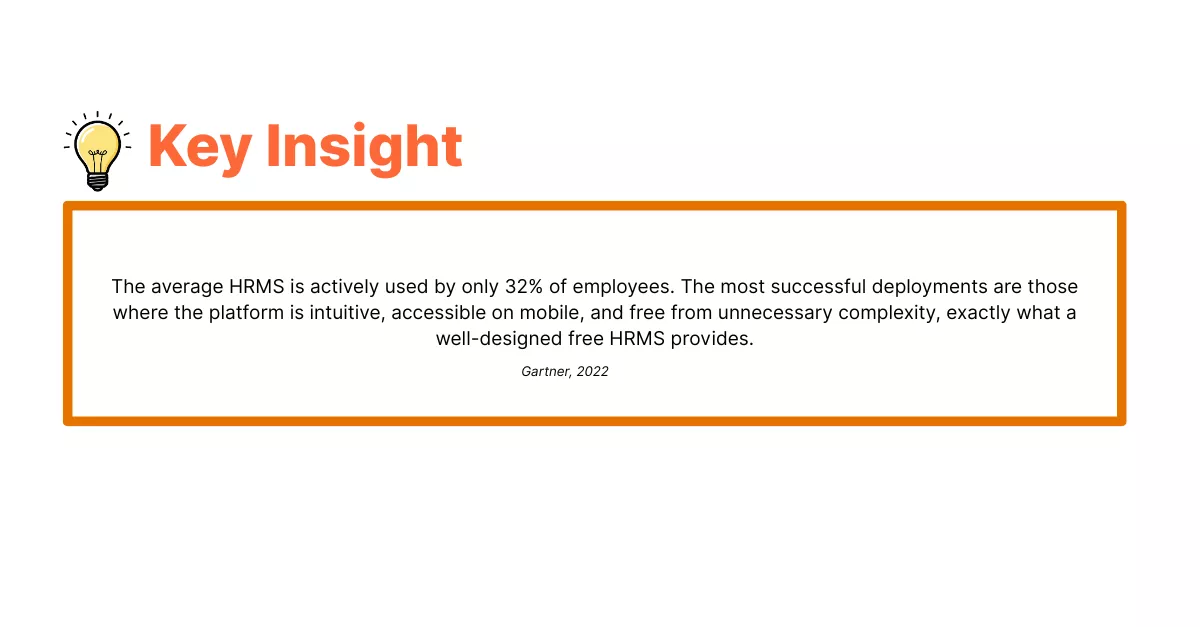
According to a 2024 Gartner survey, 48% of HR leaders planned to increase their HR technology budgets that year. But the same research consistently highlights that ROI remains elusive when organizations invest in tools that are too complex, too expensive, or poorly adopted. Free, open-source HR software addresses all three barriers at once.
What Is a Free HRMS, and What Should It Include?
An HRMS is a centralised software platform that stores, manages, and automates core HR data and processes. Think of it as the single source of truth for everything people-related in your organization: employee records, leave balances, attendance, performance history, and more.
A free HRMS does not mean a stripped-back, limited version of the real thing. The best free HR software platforms include a comprehensive module set that covers the full employee lifecycle. When evaluating any free HRMS, look for the following core capabilities:
-
Employee database with self-service profiles
-
Leave management with configurable leave types and approval workflows
-
Time and attendance tracking
-
Basic reporting and analytics
-
Recruitment module or applicant tracking
-
Mobile app access
-
Cloud and/or on-premise deployment options
Open-source HR software adds advantage: the ability to inspect, customise, and extend the codebase. For organizations with specific compliance requirements or integration needs, open-source provides a level of flexibility that proprietary platforms cannot match.
OrangeHRM Starter: A Free HR Software Built for the Real World
OrangeHRM Starter is a fully functional, free, and open-source HRMS designed for small and medium-sized businesses. Trusted by over one million users worldwide, it provides the tools HR teams need to manage the full employee lifecycle, from onboarding to offboarding, without a licensing fee, hidden costs, or feature time limits.
Available as both a cloud-hosted instance and a self-hosted on-premise deployment, OrangeHRM Starter gives organizations genuine flexibility over how and where their HR data lives. Here is what is included:
OrangeHRM Starter Module Overview
|
Module |
What It Does |
Best For |
|
Employee Management |
Centralised employee database, corporate directory, self-service profiles |
All team sizes |
|
Leave Management |
Custom leave types, PTO requests, approval workflows, leave balances |
Teams with complex leave policies |
|
Time & Attendance |
Timesheets, shift scheduling, digital clock-in/out via mobile |
Deskless & hybrid teams |
|
Reporting & Analytics |
Headcount, leave, attendance, and performance reports |
HR managers & CHROs |
|
Recruitment (ATS) |
Job postings, candidate tracking, and interview scheduling |
Growing organizations |
|
Performance Management |
Goal setting, 360 reviews, performance tracking |
Performance-driven teams |
|
Mobile App |
Apply for leave, clock in/out, view attendance, anywhere |
Distributed & remote teams |
Source: OrangeHRM
Employee Management
The employee management module is the foundation of any HR software. OrangeHRM Starter provides a centralised employee database, corporate directory, and self-service functionality that allows employees to update their own profiles, reducing admin workload for HR teams. Consider a growing logistics company with 120 employees spread across three locations: a single source of employee data accessible to managers in real time eliminates the version-control nightmare of maintaining multiple spreadsheets.
Leave Management
Leave management is consistently cited as one of the most time-consuming HR administration tasks. OrangeHRM Starter allows HR administrators to configure custom leave types, set entitlements, and automate the approval workflow. Employees submit requests via the self-service portal or mobile app; managers approve or decline with a single click. For a non-profit organization managing volunteer staff alongside permanent employees, each with different leave entitlements, this level of configurability is transformative.
Time and Attendance Tracking
OrangeHRM Starter supports digital timesheets and clock-in/clock-out functionality accessible via the mobile app. For organizations with shift-based or hybrid workforces, the ability to track time accurately without physical punch cards or manual submissions directly reduces payroll errors and compliance risk.
Reporting and Analytics
Data is only valuable if you can act on it. OrangeHRM Starter's reporting module provides HR teams with headcount reports, leave utilisation summaries, and attendance analytics, all exportable and filterable. Imagine an HR manager preparing a workforce planning presentation for the board: rather than spending a day compiling figures from disconnected sources, the data is already structured and ready to export.
Recruitment Module
OrangeHRM Starter includes a built-in applicant tracking system (ATS) that enables organizations to publish job vacancies, manage applications, schedule interviews, and track candidate progress, all within the same platform. This eliminates the need for a separate standalone recruiting tool for organizations with moderate hiring volumes.
Mobile App
The OrangeHRM mobile app puts HR management in every employee's pocket. Team members can apply for leave, clock in and out, view attendance records, and access their profiles from any device. For field-based teams, remote workers, or organizations with no fixed office, the mobile app removes a significant barrier to HR adoption.
Cloud vs. On-Premise: Which Deployment Is Right for You?
OrangeHRM Starter supports two deployment models, and the right choice depends on your organization's technical capabilities, data governance requirements, and growth plans.
|
HR Function |
Manual Process |
OrangeHRM Starter |
|
Employee Records |
Scattered spreadsheets |
Centralised cloud database |
|
Leave Management |
Email chains & paper forms |
Self-service portal + auto approvals |
|
Time Tracking |
Manual timesheets |
Digital clock-in/clock-out |
|
Reporting |
Hours of manual data compiling |
One-click reports & analytics |
|
Accessibility |
Desktop only |
Mobile app + cloud access |
|
Cost |
Hidden costs in admin time |
Free forever (Starter edition) |
Cloud-Hosted (Recommended for Most Organizations)
The cloud-hosted option requires no hardware investment, no IT setup, and no maintenance. OrangeHRM manages the infrastructure, security updates, and performance on your behalf. This is the fastest way to get started and suits the majority of small businesses and growing organizations.
On-Premise (For Organizations with Specific Requirements)
For organizations with strict data sovereignty requirements, common in healthcare, government, or regulated industries, the on-premise deployment gives IT teams full control. As an open-source platform, the entire codebase is available for inspection, customisation, and integration with existing infrastructure. This level of transparency is rare among free HR software options and represents a significant trust and compliance advantage.
Challenges and Tradeoffs of Free Open-Source HR Software
Balanced decision-making requires an honest look at the limitations as well as the benefits. Free open-source HR software is not the right choice for every organization, and HR leaders should weigh the following considerations:
Technical Setup for On-Premise Deployments
Self-hosting OrangeHRM requires basic server administration knowledge. For organizations without an in-house IT function, the cloud-hosted option removes this barrier entirely. However, organizations that choose on-premise deployment should factor in initial setup time and ongoing maintenance responsibilities.
Community vs. Dedicated Support
The OrangeHRM Starter edition is supported by a community forum rather than a dedicated support team. For organizations that require guaranteed SLA-backed support, OrangeHRM's paid Advanced plans include direct customer service. It is worth noting that the community forum is active and well-documented, making self-service resolution practical for the most common issues.
Advanced Features Require an Upgrade
The Starter edition covers core HR functions comprehensively. However, advanced capabilities, such as compensation management, structured surveys, and expanded performance management tools, are available on OrangeHRM's paid Advanced plans. For organizations that anticipate outgrowing the Starter feature set, the upgrade path is seamless and can be initiated directly from the account dashboard. This positions OrangeHRM Starter not as a permanent ceiling, but as a solid foundation.
Change Management
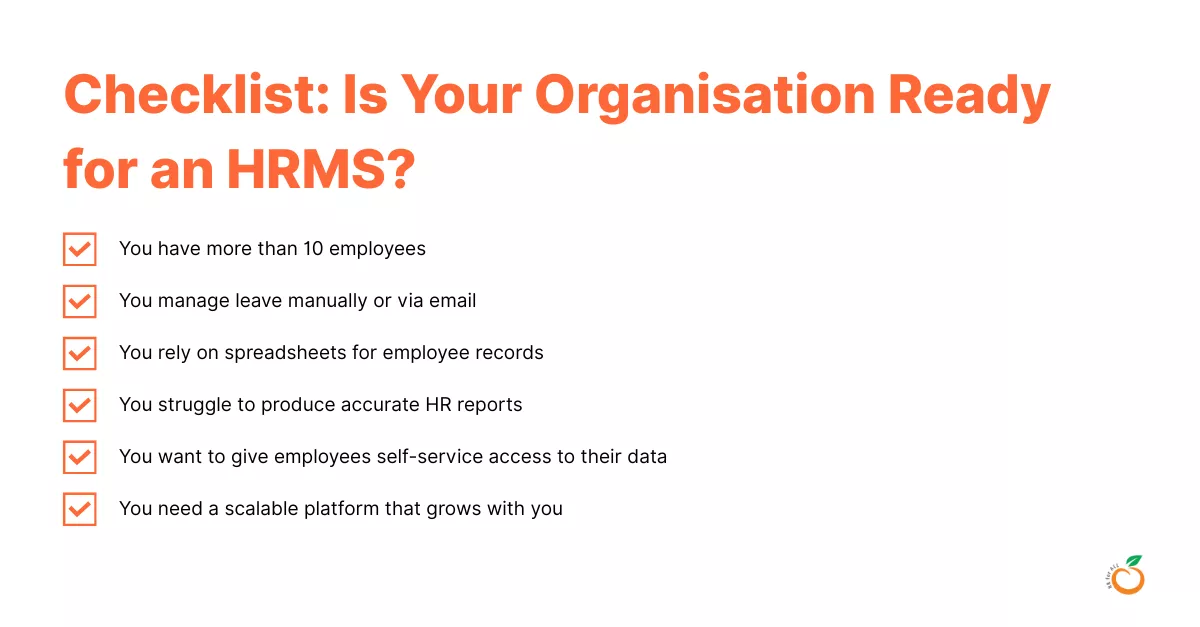
Transitioning from spreadsheets to an HRMS requires deliberate change management. Research by Gartner indicates that nearly one in four HR technology implementations fail to meet adoption expectations, most often due to insufficient training and unclear communication about the benefits to end users. A phased rollout, clear internal communications, and early involvement of team leads significantly improve adoption rates.
How to Get Started with OrangeHRM Starter: A Step-by-Step Guide
Getting your organization set up on a free HRMS does not have to be a multi-month project. For most small and mid-sized businesses, OrangeHRM Starter can be operational within a day. Here is a practical approach:
-
Register and Download - Visit here and complete the registration form to access the Starter edition. Choose between the cloud-hosted instance (zero setup required) or the downloadable self-hosted version.
-
Configure Your Organization - Set up your company structure, departments, job titles, and employment types. This foundational step ensures all subsequent data is correctly attributed.
-
Import Employee Data - Upload your existing employee records using the bulk import function. Clean and standardise your data before importing to avoid duplicates or errors.
-
Configure Leave Types and Policies - Define your organization's leave types (annual, sick, parental, etc.), set accrual rules, and configure approval hierarchies.
-
Set Up User Roles - Assign Admin, Manager, and Employee Self-Service (ESS) roles to the relevant users. Role-based access ensures employees only see data relevant to their function.
-
Communicate the Launch Internally - Brief managers and employees on how to use the self-service portal and mobile app. A short internal guide or FAQ reduces support requests and accelerates adoption.
-
Run Your First Reports - Within days of launch, use the reporting module to generate your first headcount or leave utilisation report. Early wins demonstrate value and build stakeholder confidence in the system.
Conclusion: Start Free, Scale with Confidence
The question is no longer whether small and mid-sized organizations can afford a proper HRIS. With OrangeHRM Starter, the answer has been settled: comprehensive, professional HR management is available at no cost, with no compromises on the features that matter most.
From centralised employee management and automated leave workflows to mobile accessibility and built-in reporting, OrangeHRM Starter gives HR teams the tools they need to operate with efficiency and credibility. The open-source foundation provides transparency, flexibility, and control that proprietary free-tier products cannot match.
For organizations ready to move beyond spreadsheets and beyond the compliance risks and administrative burden they create, OrangeHRM Starter is the logical first step. And when your business outgrows the Starter feature set, a seamless upgrade path ensures you never have to start over.
Ready to see OrangeHRM in action? Book a FREE demo and discover how OrangeHRM can transform HR for your organization.
FAQs
- Is OrangeHRM really free, or are there hidden costs?
- OrangeHRM Starter is genuinely free, with no time limits, no per-user fees, and no hidden licensing charges. The open-source edition is released under the GNU General Public License, meaning the software is yours to use, customise, and distribute. The primary costs associated with self-hosted deployments are infrastructure (server hosting) and any internal IT time required for setup and maintenance. The cloud-hosted version removes infrastructure costs entirely. Paid Advanced plans are available for organisations that require premium features or dedicated support.
- What is the difference between HRIS, HRMS, and HCM software?
- These terms are often used interchangeably, but there are nuanced distinctions. An HRIS (Human Resource Information System) focuses on storing and managing employee data, the system of record for HR. An HRMS (Human Resource Management System) extends this to include process automation, such as payroll and compliance workflows. HCM (Human Capital Management) is the broadest category, encompassing strategic functions like workforce planning, talent acquisition, and learning management. OrangeHRM spans HRIS and HRMS capabilities in its Starter edition, with HCM functionality available in Advanced plans.
- Is open-source HR software secure enough for employee data?
- Open-source software security is often misunderstood. Because the source code is publicly visible, it is subject to continuous community review, which often makes vulnerabilities identified and resolved faster than in proprietary systems. OrangeHRM's cloud-hosted deployment leverages enterprise-grade cloud infrastructure with regular security updates. Organisations with specific data security or compliance requirements (such as GDPR in Europe or POPIA in South Africa) can deploy on-premise and configure security controls to their own standards.
- Can a free HRMS scale with my business as it grows?
- OrangeHRM is designed with scalability in mind. The Starter edition handles core HR functions for teams of any size, and the upgrade path to OrangeHRM Advanced is seamless. Organisations can add modules, such as performance management, advanced compensation tools, or payroll integration, as their needs evolve. The modular pricing model of the Advanced plans means you only pay for the capabilities you actually need, rather than an all-or-nothing enterprise licence.
- What support is available for OrangeHRM Starter users?
- Starter edition users have access to an active community forum, a comprehensive Help Portal, tutorial videos, and detailed FAQs. The OrangeHRM community is large and well-established, with the platform having been in active development since 2006. Organisations that require guaranteed response times and dedicated account management can upgrade to an Advanced plan, which includes direct customer support.
- Starter edition users have access to an active community forum, a comprehensive Help Portal, tutorial videos, and detailed FAQs. The OrangeHRM community is large and well-established, with the platform having been in active development since 2006. Organisations that require guaranteed response times and dedicated account management can upgrade to an Advanced plan, which includes direct customer support.